How do search crawlers actually read robots.txt rules?
Robots.txt looks simple until you have to edit it.
A few lines of text can control how bots interact with an entire website, yet many marketers and site owners publish rules without fully understanding how crawlers interpret them. That is where problems begin. A seemingly harmless file can block useful sections, conflict with other directives, or send mixed signals during a site launch.
If you want to use 'robots.txt' confidently, you need to understand how crawlers read the file in practice, not just what the syntax looks like.
This guide explains how search crawlers interpret robots.txt rules, how matching works, and where teams most often get tripped up.
Where do crawlers look for robots.txt?
Crawlers look for the robots.txt file in the root of the domain or subdomain they are visiting.
That means:
https://example.com/robots.txtapplies toexample.comhttps://blog.example.com/robots.txtapplies toblog.example.com
Each host needs its own file if you want separate rules. A robots.txt file on the main domain does not automatically control a subdomain.
This is a common oversight during multi-site or international setups.
The structure of a robots.txt file
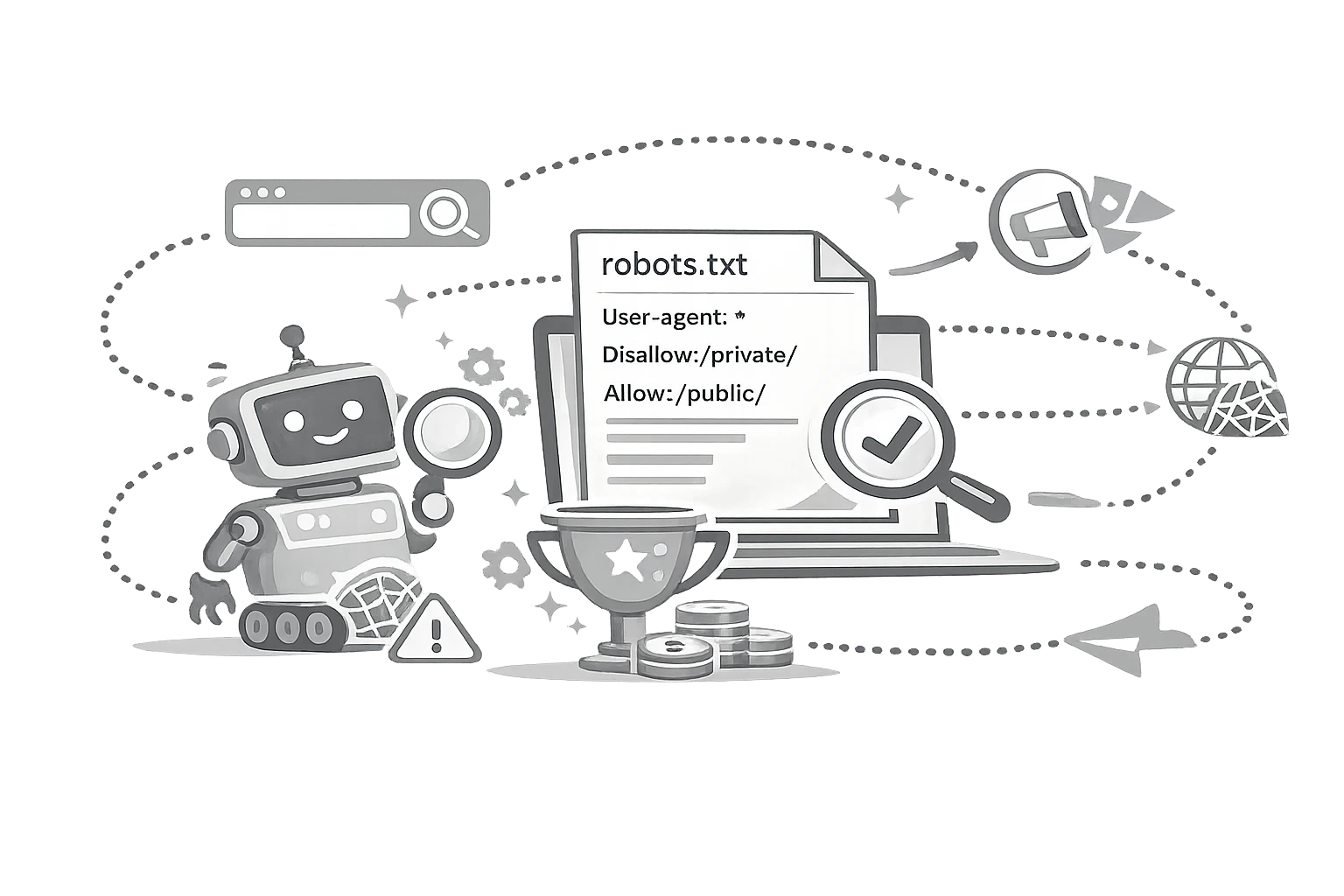
Robots.txt is made up of groups of rules. Each group typically starts with a User-agent line followed by instructions for that bot.
Example:
CopyUser-agent: *
Disallow: /private/

User-agent: Googlebot
Disallow: /test/
This tells all crawlers to avoid /private/, while Googlebot is specifically told to avoid /test/.
At a high level, crawlers first identify which group applies to them, then evaluate the rules within that group.
What User-agent means?
The User-agent line identifies which bot a rule set is meant for.
Examples:
User-agent: *means all crawlersUser-agent: Googlebotmeans Googlebot specificallyUser-agent: Bingbotmeans Bing's crawler specifically
The wildcard * is the fallback group. If a crawler finds a more specific matching group for its user agent, it may use that instead of the general one.
This matters when you mix broad rules with bot-specific instructions.
What Disallow means?
Disallow tells a crawler not to access a specific path.
Example:
CopyDisallow: /admin/
This means the crawler should not request URLs that begin with /admin/.
You can also block a single URL path more precisely.
Example:
CopyDisallow: /draft-page
That tells the crawler not to access that path.
A blank disallow line means nothing is blocked.
Example:
CopyUser-agent: *
Disallow:
That effectively allows full crawling.
What Allow means?
Allow is used to make an exception within a blocked section.
Example:
CopyUser-agent: *
Disallow: /images/
Allow: /images/public-logo.png
This says the crawler should avoid the /images/ folder generally, but it may still access one specific file.
This is especially useful when broad directories contain a few assets or pages that still need to be crawled.
How does matching work?
This is where many misunderstand robots.txt.
Crawlers do not read your intent. They read path patterns.
In practice, the most relevant matching rule usually wins based on specificity. More specific path instructions tend to override broader ones.
For example:
CopyUser-agent: *
Disallow: /blog/
Allow: /blog/public-guide/
In this case, the broader /blog/ path is blocked, but the more specific /blog/public-guide/ path is allowed.
This is why precise path planning matters. One misplaced slash or overbroad directory rule can affect far more URLs than expected.
Why do trailing slashes matter?
Path matching is literal enough that structure matters.
These are not always equivalent:
/folder/folder/
Depending on how your site structures URLs, a mismatch here can make rules behave differently than expected.
That is why robots.txt changes should always be reviewed against real URLs, not assumptions about folder naming.
Wildcards and special characters
Some crawlers support pattern matching with wildcards.
For example:
*can represent any sequence of characters$may be used to match the end of a URL
A rule like this:
CopyDisallow: /*.pdf$
is meant to block URLs ending in .pdf.
Pattern support varies by crawler, so the safest approach is to keep rules as clear and simple as possible unless you genuinely need advanced matching.
The order of rules vs the specificity of rules
A common myth is that crawlers obey the first matching line they see.
In reality, robots.txt is less about a top-to-bottom reading order and more about which applicable rule best matches the requested path.
That is why "I put the allow line first" is not a reliable strategy on its own. The path's specificity matters more than the visual order in many cases.
Think like a pattern matcher, not like a human reader.
Common robots.txt interpretation mistakes
1. Blocking a folder too broadly
A team wants to block duplicate tag pages but accidentally blocks the main blog archive folder as well.
2. Assuming all bots behave identically
Different crawlers may support different features or interpret edge cases differently.
3. Forgetting that subdomains need separate files
A staging subdomain or help centre may remain crawlable because only the root domain file was edited.
4. Mixing crawl control with indexing goals
Teams add a disallow rule and assume the URL will disappear from search results. That is not how robots.txt works.
5. Leaving legacy rules in place after migrations
Old disallowed paths often survive redesigns and quietly interfere with new sections.
How to read your own file like a crawler?
A practical way to review robots.txt is to test it against actual URLs.
Take important URLs from:
- your sitemap
- your main navigation
- category pages
- blog posts
- media folders
- utility pages
Then ask:
- Which user-agent group applies?
- Does any disallow rule match this path?
- Does a more specific allow rule override it?
- Was this result intentional?
If you cannot answer those questions quickly, your file may be too complex.
Best practices for cleaner rules
To make robots.txt easier for crawlers and humans alike:
- Keep rules short and deliberate
- Avoid unnecessary complexity
- Separate broad logic from exceptions clearly
- Review the file after launches and migrations
- Document why each non-obvious rule exists
A clean file is easier to trust and easier to maintain.
Final thoughts
Search crawlers read robots.txt as a set of path-based instructions, not as a general statement of what you want indexed or hidden.
That means clarity matters. Specificity matters. Testing matters.
If you understand how bots match user-agents, evaluate disallow and allow paths, and interpret exceptions, you reduce the chance of accidental SEO damage dramatically.
Robots.txt is not difficult once you stop treating it like mysterious code and start treating it like structured crawl logic.
Do that, and you will make better decisions every time you touch the file.
Share this article
Help other marketers, developers, and creators discover these insights.