A simple UTM naming convention template for small teams
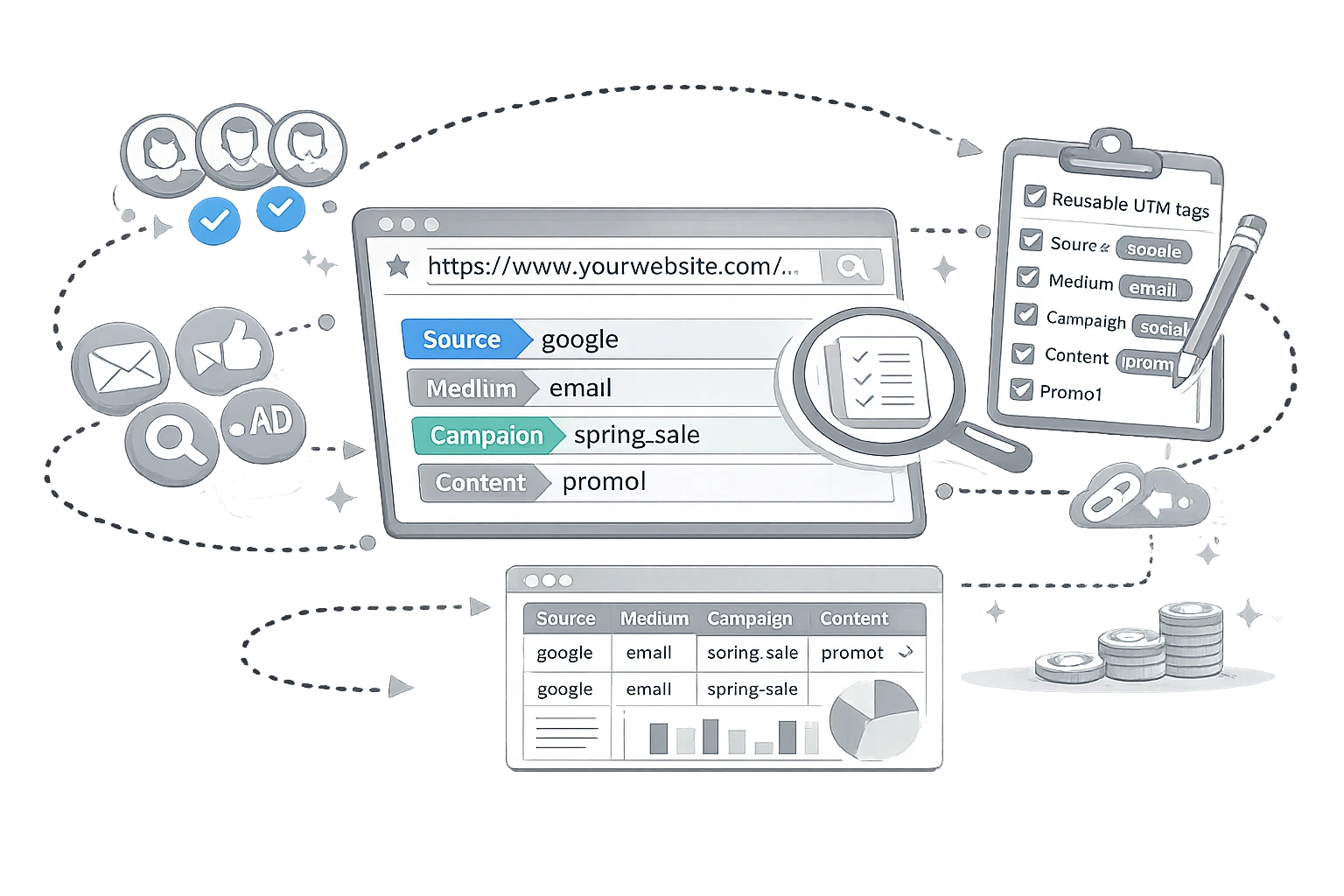
UTM tracking only works when the naming system is consistent.
Most small marketing teams do not have a tracking problem because they forgot to add UTM parameters. They have a tracking problem because everyone names campaigns differently. One person uses Facebook, another uses facebook, another uses fband suddenly, one campaign is split into multiple rows in reporting.
The result is messy attribution, unclear acquisition reports, and wasted time in dashboards.
The good news is that you do not need a complicated framework to fix this. You need a simple convention that your team can follow every time.
In this guide, we’ll build a practical UTM naming system for small teams, show how to structure the main fields, and give you a reusable template you can adopt immediately.
Why does UTM naming matter more than most teams think?
Google Analytics allows you to add UTM parameters to destination URLs so you can identify which campaigns refer traffic. Google’s documentation says you should always use utm_source, utm_medium, and utm_campaign when adding campaign parameters. It also notes that parameter values are case-sensitive, meaning google and Google are treated as different values. Source
That one detail alone explains much of the broken reporting.
If your team uses inconsistent casing, spacing, separators, or abbreviations, your reports fragment. Instead of one clean line for a campaign, you get multiple rows that all represent the same effort.
For a small team, this creates three immediate problems:
- Reporting takes longer to clean up
- Performance comparisons become unreliable
- Channel decisions get made on incomplete data
A naming convention solves all three.
The three UTM fields you should always standardise
According to Google’s URL builder guidance, the three most important UTM fields are:
utm_source= the referrer, such as google, newsletter, or facebookutm_medium= the marketing medium, such as email, cpc, or bannerutm_campaign= the specific campaign name, such as spring_sale or black_friday Source
If your team only standardises these three fields, your reporting will already improve dramatically.
Let’s make them practical.
A simple convention that small teams can actually maintain
The best naming convention is not the most elaborate one. It is the one people will use correctly every time.
For most small teams, the safest baseline is:
- Use lowercase only
- Use hyphens or underscores consistently
- Avoid spaces
- Avoid vague labels
- Keep one meaning per field
- Never create duplicate names for the same platform or campaign
Google explicitly recommends maintaining a strict, case-sensitive naming convention and notes that values like Meta and meta are treated differently. It also recommends using a single source per platform and a single medium per channel. Source
So instead of this:
Copyutm_source=Facebook
utm_medium=Paid Social
utm_campaign=Summer Sale 2026
Use this:
Copyutm_source=facebook
utm_medium=paid_social
utm_campaign=summer_sale_2026
That gives you cleaner aggregation and much easier filtering later.
A practical UTM template
Here is a simple structure most small teams can use:
utm_source
Use the platform or traffic source.
Examples:
googlefacebookinstagramlinkedinnewsletterpartner_site
utm_medium
Use the marketing channel type.
Examples:
emailpaid_socialorganic_socialcpcdisplayreferral
utm_campaign
Use the business campaign name.
Examples:
spring_sale_2026q3_demo_pushnew_feature_launchholiday_bundle_offer
utm_content
Use this to distinguish the specific creative, CTA, or placement. Google says utm_content can be used to differentiate creatives, such as two different links in the same email. Source
Examples:
hero_buttonfooter_linkcarousel_image_1text_ad_variant_b
utm_term
Use this only when keyword-level tracking is actually useful. Google describes utm_term as the paid keyword field. Source
Examples:
crm_softwareemail_automationlead_generation_tool
The easiest naming rules to enforce
If you want this system to survive beyond one person, keep the rules short.
Rule 1: Always use lowercase
This is the simplest way to avoid fragmentation. Google’s documentation specifically warns that parameter values are case-sensitive. Source
Rule 2: One source name per platform
Do not mix facebook, fb, and meta unless they truly represent different reporting entities. Google recommends a single source for each platform. Source
Rule 3: One medium per channel type
Use one label for each channel, such as email or paid_social, and stick with it.
Rule 4: Match the campaign name exactly
Google recommends using a unique campaign name that matches the exact campaign name, so that a single effort does not split into multiple rows. Source
Rule 5: Use content only for meaningful differences
Do not fill utm_content with random notes. Use it when you are comparing creatives, buttons, versions, or placements.
A ready-to-use small-team UTM sheet
If you want something your team can use immediately, structure your spreadsheet like this:
| field | example | rule |
|---|---|---|
| utm_source | platform name only | |
| utm_medium | paid_social | channel type only |
| utm_campaign | spring_sale_2026 | official campaign name |
| utm_content | hero_video_a | creative or placement |
| utm_term | crm_software | optional keyword |
And then create a second tab with your approved values:
Approved sources
- newsletter
- youtube
Approved mediums
- cpc
- paid_social
- organic_social
- referral
- display
That single step prevents most naming drift.
Common UTM mistakes small teams should avoid
Using the same field for two meanings
Do not use utm_medium for platform names and channel types simultaneously. That makes reports harder to read.
Letting campaign names vary by person
If one person uses summer_sale and another uses summer-saleyou now have two campaigns.
Overloading content names
utm_content should help you compare variations rather than store internal comments.
Tagging links inconsistently inside one campaign
If one email uses one format and the landing page button uses another, analysis becomes harder than it needs to be.
Skipping fields
Google recommends setting all relevant UTM parameters, especially the main ones, because missing parameters can lead to (not set) values in reporting. Source
How to make adoption easy?
A naming convention fails when it lives only in one person’s head.
To make it stick:
- Keep a shared UTM sheet
- Define approved values
- Give campaign owners copy-paste templates
- Use the same separators every time
- Review links before launch
- Build URLs with a standard tool instead of typing them manually
Google provides a Campaign URL Builder to add campaign parameters to URLs. Source
That is useful because it reduces formatting errors and speeds up link creation for non-technical teammates.
Final thoughts
A good UTM naming convention should reduce thinking, not create more of it.
For small teams, the winning approach is simple:
- Lowercase everything
- Define one value per platform
- Define one value per channel
- Use exact campaign names
- Document the rules once
- Reuse them every time
That is enough to turn chaotic campaign tracking into something your team can trust.
You do not need a comprehensive taxonomy to improve attribution. You need a convention people can follow without hesitation.
Source references
- Google Analytics Help - URL builders: Collect campaign data with custom URLs: https://support.google.com/analytics/answer/10917952?hl=en
- Google Analytics Demos & Tools - Campaign URL Builder: https://ga-dev-tools.google/campaign-url-builder/
Share this article
Help other marketers, developers, and creators discover these insights.