Open Graph Tags for Better Social CTR
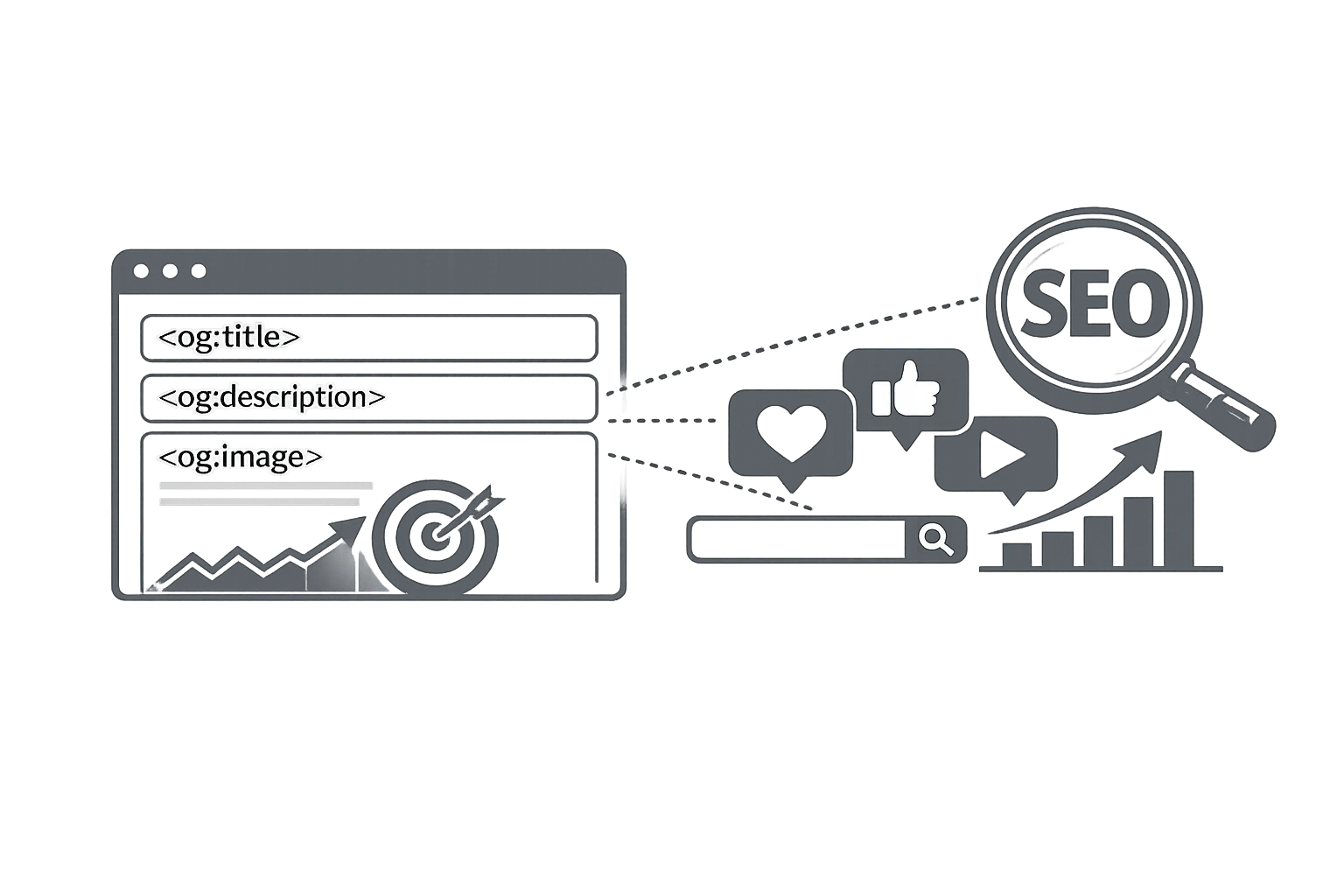
Share a link from a properly optimised page on LinkedIn, and you get a beautiful preview card: a sharp hero image, a bold headline, and a concise description that makes people want to click. Share a link from a page without Open Graph tags, and you get a grey box, a random tiny image pulled from a footer widget, and a fragment of text that makes no sense out of context.
The difference between these two outcomes? Four lines of HTML in the page header. And most websites are still getting it wrong.
What Are Open Graph Tags?
Open Graph (OG) is a protocol created by Facebook in 2010 to standardise how URLs are displayed when shared on social media platforms. It was originally built for the Facebook News Feed, but it's since been adopted by LinkedIn, Twitter/X, Pinterest, Slack, WhatsApp, iMessage, and virtually every other platform that generates link previews.
Open Graph tags are HTML <meta> tags placed in the <head> section of a web page. They are invisible to your page visitors, but they are read by every social platform's "link scraper" the moment someone shares your URL.
Why Open Graph Tags Are Technically SEO
Open Graph tags don't directly influence your Google ranking position. But SEO is not just about rankings; it's about organic traffic. And here, OG tags are critical.
When your links generate compelling social media previews, more people click them. More clicks = more traffic = more backlinks from people who share your content elsewhere = higher domain authority over time. Additionally, if people stay on your page longer (because it delivers on the preview's promise), your engagement metrics improve, which is a signal that Google monitors.
Well-crafted OG tags are among the highest-ROI improvements you can make to a webpage, especially for content that gets significant social sharing.
The Essential Open Graph Tags
Here are the core OG tags every page should have, along with their syntax and the exact values to use:
og:title
The headline is displayed in the social preview card. Keep it between 60–70 characters. It can be the same as your HTML title tag, but you can write a slightly more social-friendly version, more conversational, curiosity-driven, or benefit-focused.
<meta property="og:title" content="Free [Image Compressor](/tools/image-compressor) — Reduce File Size Without Losing Quality" />
og:description
The supporting text beneath the headline. Keep it under 125 characters for mobile compatibility. Include a benefit and a subtle CTA. This is similar to your meta description but is specifically for social sharing.
<meta property="og:description" content="Compress JPEG, PNG & WebP images for free. No upload. Files stay in your browser." />
og:image
The most important Open Graph tag. This is the image displayed in the social preview. Get this wrong, and even a perfect headline is undermined by a blurry, stretched, or missing image.
- Recommended size: 1200 × 630 pixels
- Minimum size: 600 × 315 pixels
- File format: JPEG or PNG preferred (smaller file sizes)
- File size: Under 8MB (Facebook limit)
- URL: Must be an absolute URL (not a relative path)
Use the CampaignMorph Image Resizer to quickly resize your images to the exact 1200×630px OG specification. For a full breakdown of image dimensions across every platform, see the Social Media Image Sizes Guide.
<meta property="og:image" content="https://campaignmorph.com/assets/og-image-compressor.jpg" />
og:url
The canonical URL of the page is the version you want indexed and shared. If your page is accessible via multiple URLs (with and without trailing slashes, with UTM parameters, etc.), this tells scrapers which URL is definitive.
<meta property="og:url" content="https://campaignmorph.com/tools/image-compressor" />
og:type
Tells the platform what kind of content this is. The most common values are website (for homepages and tool pages) and article (for blog posts). Setting this correctly enables richer integrations on some platforms.
<meta property="og:type" content="article" />
og:site_name
Your website's name appears as a brand label in the preview. Always include this for brand recognition.
<meta property="og:site_name" content="CampaignMorph" />
og:locale
Specifies the page's language and region. This helps social platforms serve the right version to the right audience.
<meta property="og:locale" content="en_US" />
Twitter/X Card Tags
Despite rebranding to X, the platform still uses the "Twitter Card" meta tag standard. While Twitter/X will fall back to your Open Graph tags if no Twitter Cards are set, you get more control and a better preview by including them explicitly.
<meta name="twitter:card" content="summary_large_image" />
<meta name="twitter:title" content="Free [Image Compressor](/tools/image-compressor) | CampaignMorph" />
<meta name="twitter:description" content="Compress images without losing quality. Runs in your browser. Free." />
<meta name="twitter:image" content="https://campaignmorph.com/assets/twitter-card-compressor.jpg" />
<meta name="twitter:site" content="@campaignmorph" />
<meta name="twitter:creator" content="@campaignmorph" />
The most impactful setting is twitter:card set to summary_large_image. This displays a large, full-width image preview in the feed, which dramatically outperforms the small thumbnail format in engagement.
LinkedIn-Specific Considerations
LinkedIn uses Open Graph tags as its primary metadata source. However, it has some quirks:
- LinkedIn's link scraper aggressively caches previews. If you update your OG tags after sharing a link, use the LinkedIn Post Inspector to force a cache refresh.
- LinkedIn also reads
article:published_time,article:author. Tags: if you're marking the page as an article type, which can add author attribution to the preview. - Image quality matters more on LinkedIn than on other platforms because the preview is displayed larger in the feed. Use crisp, high-contrast images with minimal text.
How to Generate All OG Tags for Free
You don't need to write this code by hand. The CampaignMorph Meta Tag Generator lets you fill in your title, description, URL, and image URL, then generates the complete HTML for all Open Graph tags, Twitter Card tags, and standard meta tags in one click. Copy the code and paste it into your page's <head> section.
Generate Your Open Graph Tags for Free
Enter your details and get complete OG + Twitter Card HTML. Copy and paste into your site.
How to Test Your Open Graph Tags?
After implementing your OG tags, always test before sharing. Use these official tools:
- Facebook Sharing Debugger: Go to developers.facebook.com/tools/debug and paste your URL. It scrapes the page, shows the preview, and lets you force a cache refresh if tags were recently changed.
- LinkedIn Post Inspector: Go to linkedin.com/post-inspector. Enter your URL to see exactly how LinkedIn will display your link preview and to clear the cache.
- Twitter Card Validator: Visit cards-dev.twitter.com/validator and paste your URL to preview how your Twitter Card will appear in the feed.
Frequently Asked Questions
Do Open Graph tags help SEO?
Not directly as a ranking signal, but they have a powerful indirect impact on SEO. Better social media previews drive more clicks and shares, which leads to more backlinks and higher domain authority over time. OG tags are one of the highest-ROI on-page improvements for content that is shared socially.
What is the ideal Open Graph image size?
The recommended size is 1200 × 630 pixels. This is the size Facebook, LinkedIn, and Twitter/X all use for their standard large image previews. Use a JPEG or PNG file, keep the file under 8MB, and always use an absolute URL (starting with https://).
Why isn't my Open Graph image showing on Facebook?
Facebook aggressively caches link previews. If you updated your OG image after the link was first shared, Facebook may still be showing the old cached version. Use the Facebook Sharing Debugger (developers.facebook.com/tools/debug) and click "Scrape Again" to force a cache refresh.
Do I need separate OG tags for every page?
Yes, ideally. Each page should have unique OG tags — particularly og:title, og:description, og:image, and og:url. Generic site-wide OG tags result in the same preview image appearing whenever any page is shared, which looks unprofessional and reduces CTR.
What happens if I don't add Open Graph tags?
Without OG tags, social platforms will guess what to display. They might pull a random image from the page, use the page title, and extract a snippet of body text. The result is often a messy, unappealing preview that gets far fewer clicks than a properly formatted one.
Looking to automate your blog post distribution? Learn how custom OpenGraph cards fit into our complete Technical Content Publishing Pipeline Guide alongside visual Markdown table generation, Google Docs cleanup, and screenshot beautification.
Open Graph tags are four lines of HTML that can meaningfully increase the traffic you get from every social share of your content. With the CampaignMorph Meta Tag Generator, implementing them takes less than 2 minutes per page. Do it once for every key page on your site, and you'll see the results every time someone shares a link.
Share this article
Help other marketers, developers, and creators discover these insights.