The Complete robots.txt Guide: Syntax, Templates & Free Generator

Why you need a well-configured robots.txt file
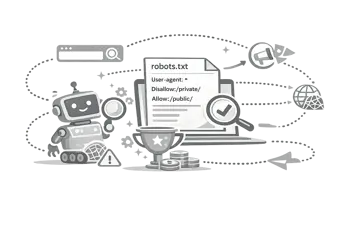
A robots.txt file acts as the gateway to your website for search engines. Located at the root of your domain (e.g., yourwebsite.com/robots.txt), this plain-text file provides immediate instructions to web crawlers about which pages they are permitted to access and which they should ignore 1.
Managing crawl traffic effectively is essential for large websites. By controlling access, you preserve your crawl budget, ensuring that search engines spend time discovering your most valuable pages rather than getting bogged down in low-value internal search results or duplicate content 2.
While we have previously covered how search crawlers actually read the rules, this guide serves as a practical, action-oriented reference. If you are looking for syntax definitions, copy-paste templates for common platforms, or instructions on how to block AI scrapers, you are in the right place.
The core syntax: how to write robots.txt directives
A robots.txt file follows the Robots Exclusion Protocol (REP), a standardised web protocol recognised by all major search engines [3]. It consists of two primary components: the User-agent (who the rule applies to) and the Directive (what they are or are not allowed to do).
User-agents
The User-agent line specifies which bot the following rules apply to. You can target all bots universally or restrict specific ones 1.
| User-agent string | Targets | Common use case |
|---|---|---|
User-agent: * | All crawlers | General rules for your entire site. |
User-agent: Googlebot | Google's main search crawler | Setting Google-specific crawl rules. |
User-agent: Bingbot | Microsoft Bing's crawler | Setting Bing-specific crawl rules. |
User-agent: Applebot | Apple's crawler | Controlling Apple's indexing (used for Siri). |
User-agent: GPTBot | OpenAI's web crawler | Blocking ChatGPT from training on your content. |
Directives
Directives instruct the specified user-agent and must immediately follow the user-agent line.
| Directive | Function | Example |
|---|---|---|
Disallow: | Tells the bot not to crawl a specific path 1. | Disallow: /admin/ blocks the admin directory. |
Allow: | Overrides a Disallow rule to permit crawling of a specific subdirectory or file 1. | Allow: /admin/public-image.jpg |
Sitemap: | Points the crawler to your XML sitemap. Usually placed at the end of the file 1. | Sitemap: https://example.com/sitemap.xml |
Crawl-delay: | Requests bots to wait a specified number of seconds between requests. (Note: Googlebot largely ignores this, but Bingbot respects it). | Crawl-delay: 5 |
Pattern matching (Wildcards)
You can use wildcards for more complex URL matching:
*(Asterisk): Matches any sequence of characters. E.g.,Disallow: /*.pdf$blocks all PDF files.$(Dollar sign): Denotes the end of a URL. E.g.,Disallow: /search$blocks/searchbut allows/search/results.
Copy-paste templates for common setups
Instead of writing rules from scratch, you can adapt these templates for common website configurations.
1. The universal default (Allow everything)
If you have a small, static website and want search engines to index everything, this is all you need:
User-agent: *
Disallow:

Sitemap: https://www.yourdomain.com/sitemap.xml
Pro tip: Ensure your sitemap is accurate. You can use our ******Sitemap URL Extractor to audit your current XML sitemap.
2. The WordPress standard
WordPress sites need to block core system files and admin areas while allowing search engines to crawl public content and necessary assets.
User-agent: *
Disallow: /wp-admin/
Allow: /wp-admin/admin-ajax.php
Disallow: /wp-includes/
Disallow: /search/
Disallow: /?s=
Disallow: /author/

Sitemap: https://www.yourdomain.com/sitemap_index.xml
3. The E-commerce / Shopify baseline
E-commerce sites must prevent search engines from crawling shopping carts, checkout pages, and faceted search results to avoid duplicate content penalties and wasted crawl budget 2.
User-agent: *
Disallow: /cart
Disallow: /checkout
Disallow: /orders
Disallow: /search
Disallow: /*?sort_by=
Disallow: /*?filter=

Sitemap: https://www.yourdomain.com/sitemap.xml
4. Blocking AI crawlers and scrapers
If you want to prevent AI companies from using your content to train large language models (LLMs), you need to block their specific user-agents.
# Block OpenAI
User-agent: GPTBot
Disallow: /
User-agent: ChatGPT-User
Disallow: /

# Block Google's extended AI crawler
User-agent: Google-Extended
Disallow: /

# Block Anthropic (Claude)
User-agent: anthropic-ai
Disallow: /
User-agent: Claude-Web
Disallow: /

# Allow normal search engines
User-agent: *
Disallow: /admin/
5. Single Page Applications (SPAs) / Nuxt / Next.js
Modern JavaScript frameworks often use API routes or specific build directories that shouldn't be indexed directly.
User-agent: *
Disallow: /api/
Disallow: /_nuxt/
Disallow: /_next/
Disallow: /build/

Sitemap: https://www.yourdomain.com/sitemap.xml
Generate your robots.txt automatically.
Writing syntax manually can lead to typos that accidentally de-index your entire website. The safest approach is to use a dedicated, programmatic tool.
The CampaignMorph Robots.txt Generator allows you to build a valid, error-free file in seconds.
How to use the generator:
- Select default rules: Choose preset configurations for WordPress, Shopify, or generic sites.
- Add custom paths: Use the interface to add specific directories you want to allow or disallow.
- Toggle AI blocking: Use the built-in toggles to instantly add blocks for GPTBot, Google-Extended, and other AI scrapers.
- Add your sitemap: Paste your absolute sitemap URL.
- Copy and deploy: Copy the generated text and save it as
robots.txtin the root directory of your website.
Common robots.txt mistakes to avoid
- Blocking CSS and JavaScript files: Search engines need to render your page to understand it fully. If you block CSS or JS directories, Google may see a broken layout and rank the page lower for mobile-friendliness 1.
- Using robots.txt to hide sensitive data: A
Disallowrule is not a security mechanism; it only asks polite bots not to crawl the page 3. Malicious scrapers will ignore the rule. Use server-level authentication instead. - Confusing Noindex vs Disallow: While
disallowprevents crawling, it does not guarantee a page won't appear in search results if it is linked from elsewhere. To truly prevent a page from being indexed, use thenoindexrobots meta tag instead 1. - Forgetting the leading slash:
Disallow: admin/is invalid. It must beDisallow: /admin/. - Not testing changes: Before deploying a new
robots.txt, always test it using the Robots Testing Tool in Google Search Console.
For a deeper dive into the technical nuances of crawler behaviour, read how search crawlers read robots.txt rules.
Next steps for Technical SEO
Configuring your robots.txt is just one part of a healthy technical SEO foundation. To ensure maximum visibility, you should also ensure your meta tags are fully optimised, your URLs follow best practices, and your images are compressed for optimal page speed.
Citations
Footnotes
- Google Search Central. "Introduction to robots.txt." Google Developers, https://developers.google.com/search/docs/crawling-indexing/robots/intro. ↩ ↩2 ↩3 ↩4 ↩5 ↩6 ↩7
- Search Engine Journal. "A Guide to robots.txt." Search Engine Journal, https://www.searchenginejournal.com/technical-seo/robots-txt/. ↩ ↩2
- Wikipedia. "Robots exclusion standard." Wikipedia, https://en.wikipedia.org/wiki/Robots_exclusion_standard. ↩
Share this article
Help other marketers, developers, and creators discover these insights.