How to Strip HTML Tags From Text?
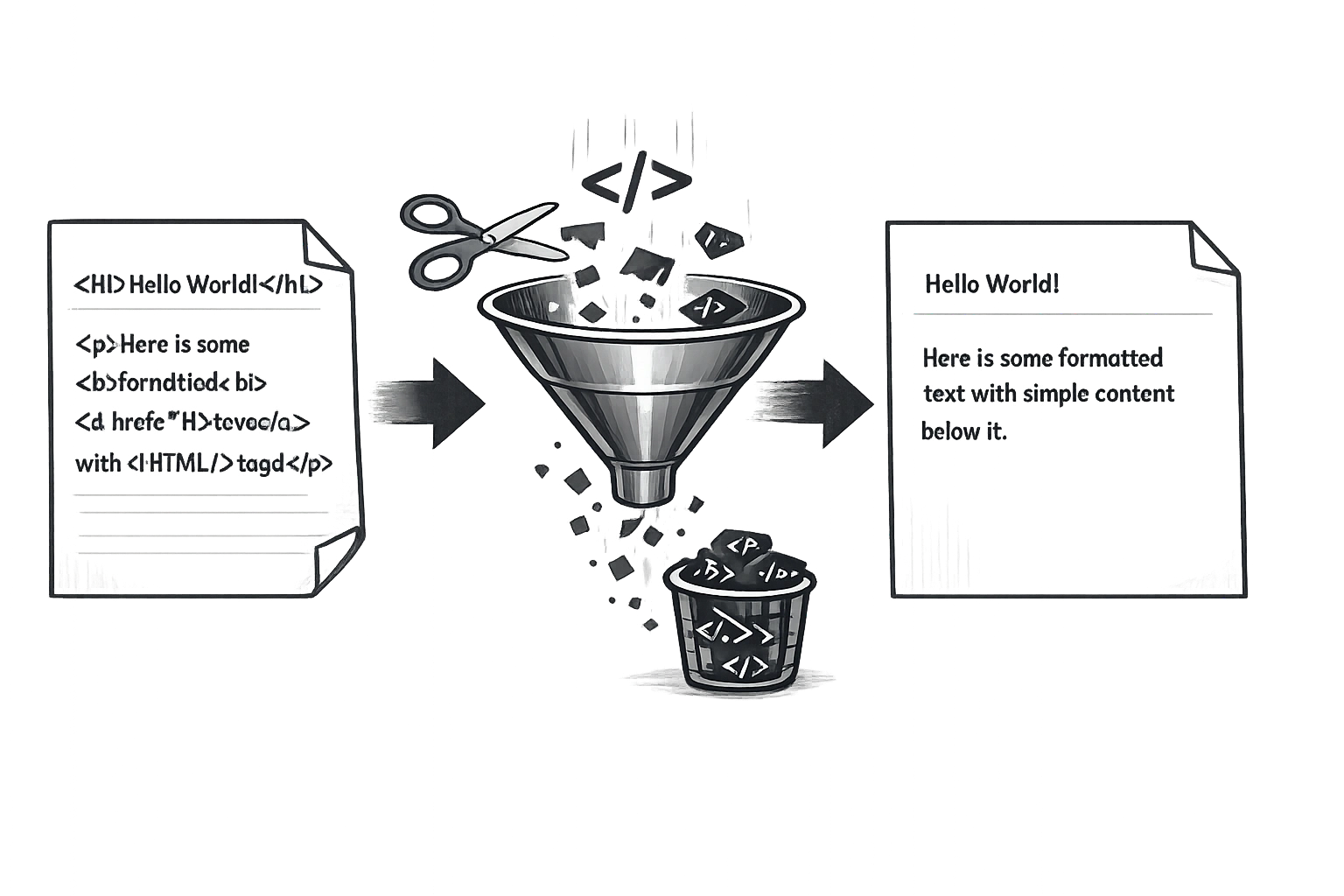
You copy a paragraph from your CMS. You paste it into a Google Ad. Suddenly your headline is full of <strong> and <p> tags that the ad platform refuses to accept. This is one of the most common and most frustrating problems in content workflows — HTML tags appearing where you absolutely don't want them.
Stripping HTML tags is a task that most marketers need at least weekly. And it doesn't need to take more than 10 seconds.
What Are HTML Tags?
HTML tags are the building blocks of web pages. They are instructions wrapped in angle brackets that tell browsers how to display content. Examples include <h1> for main headings, <strong> for bold text, <a href="..."> for links, and <p> for paragraphs.
When you export content from a CMS, copy source code, or receive data from an API, these tags often travel with the text. In plain text fields — like ad platforms, CRM systems, spreadsheets, or social media — they appear as raw code that confuses both humans and machines.
6 Common Scenarios Where You Need to Remove HTML Tags
- Copying from a website's source code: If you ever paste from "View Source," you'll bring the HTML with you. Stripping cleans it instantly.
- Exporting from a CMS: WordPress, HubSpot, and other platforms often include HTML markup in exported content files that needs to be removed before use in other tools.
- Editing email templates: If you copy body text from an HTML email to repurpose as a plain-text follow-up or SMS, the HTML must go.
- Cleaning data for ad platforms: Google Ads, Meta Ads, and LinkedIn Ads don't accept HTML in copy fields. Stripping tags lets you paste clean text without errors.
- Preparing social media posts: Blog post content copied for LinkedIn or Twitter often comes with formatting tags. A strip removes them in one step.
- Importing into a CRM: If you're bulk-importing contact notes or product descriptions into a CRM like Salesforce or HubSpot, HTML in the data fields creates messy, broken records.
How to Strip HTML Tags for Free in 3 Steps
Using the CampaignMorph HTML Tags Remover takes under 10 seconds:
- Paste your text: Open the tool and paste the HTML-formatted content into the input field.
- Choose your line break preference: Decide whether to preserve line breaks (so your paragraph structure is maintained) or remove them entirely for a single block of text.
- Copy the clean output: The tool instantly strips all HTML tags and displays pure, readable plain text. Hit copy and paste it wherever you need it.
Strip HTML Tags in Seconds — Free
Paste HTML code and get clean plain text instantly. No sign-up, no limits.
Strip HTML vs. Convert HTML: What's the Difference?
These are two different operations that are often confused:
- Stripping HTML removes all formatting. Every tag is deleted, leaving only the raw text characters. A
<strong>bold word</strong>becomes just "bold word" — no formatting preserved. - Converting HTML to Markdown preserves the structure and converts it to Markdown syntax.
<strong>bold word</strong>becomes**bold word**.
Use stripping when you need truly plain text (ad platforms, CRM imports). Use HTML-to-Markdown conversion when you need to preserve the document structure in a more readable format (documentation, writing tools).
Preserving Line Breaks When Stripping HTML
One nuance to be aware of: in HTML, line breaks are created by <br> tags and paragraph spacing is created by <p> tags. When you strip HTML, these tags are also removed.
Without the option to preserve breaks, your entire multi-paragraph article would become a single wall of text. The CampaignMorph HTML Tags Remover gives you a toggle to preserve or remove line breaks, so you can control the output format depending on your destination.
Frequently Asked Questions
Does stripping HTML delete my content?
No. Stripping HTML only removes the formatting tags. All the actual text content — every word, sentence, and paragraph — is preserved. Only the angle-bracket code instructions are removed.
What happens to links when I strip HTML tags?
The visible link text is preserved, but the URL itself is lost. For example, <a href="https://example.com">Click here</a> becomes "Click here" — the anchor text remains but the destination URL is stripped away.
Is there a difference between removing HTML and decoding HTML entities?
Yes. HTML tags are the <code>-style code elements. HTML entities are special character codes like & (for &) or (for a non-breaking space). Most HTML strippers also handle basic entity decoding, but check your tool's behaviour for edge cases.
Can I strip HTML from a Word document?
Word documents use a different format (DOCX/XML) rather than standard HTML. To strip HTML, you first need to have the content in HTML format. Try pasting from Word into a browser-based HTML editor, then copying the source and running it through the stripper.
Does removing HTML tags affect SEO?
Not for the page itself — stripping is a content processing task done offline, not on your live website. Your website's HTML should remain intact for SEO purposes. This tool is for processing exported or raw content before using it in other applications.
Conclusion
HTML tags are invaluable on your website but a nuisance everywhere else. Whether you're cleaning up ad copy, preparing CRM imports, or processing exported content, the HTML Tags Remover handles it in seconds. Bookmark it — you'll use it more often than you expect.
Share this article
Help other marketers, developers, and creators discover these insights.