Schema Markup Guide: How to Add FAQ, Product & Article Structured Data

What is Schema Markup?
Search engines read text well, but they often struggle to understand context. If your webpage contains the text "$49.99," Google has to guess whether that is the price of a product, a monthly subscription fee, or a historical stock price.
Schema markup (also known as structured data) removes the guesswork. It is a standardised vocabulary of code that you add to your website to explicitly tell search engines what your content means. By wrapping the "$49.99" in schema code, you definitively declare: "This is the price of the specific product featured on this page."
The most common and Google-recommended format for schema markup is JSON-LD (JavaScript Object Notation for Linked Data). It is a block of script usually placed in the <head> of your webpage.
Why you need Schema Markup: Rich Snippets
The primary benefit of implementing schema markup is winning Rich Snippets (or Rich Results) in the Search Engine Results Pages (SERPs).
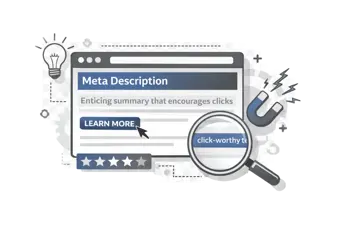
A standard search result includes a title, a URL, and a meta description. A rich snippet includes visual enhancements derived directly from your structured data. These enhancements drastically increase click-through rates (CTR) by making your listing more prominent and providing immediate value to the searcher.
The 4 most impactful Schema types
While the official Schema.org vocabulary includes hundreds of types, marketing teams should focus on the four that consistently generate rich snippets.
1. FAQ Schema (Frequently Asked Questions)
FAQ schema allows your questions and answers to appear directly in the search results beneath your standard snippet. This pushes competitors down the page and dominates mobile screen space.
- Best for: Pricing pages, support articles, and long-form blog posts.
2. Product Schema
Product schema displays the price, availability (In Stock / Out of Stock), and review ratings (stars) directly in the search results.
- Best for: E-commerce product pages and SaaS pricing tiers.
3. Article / BlogPosting Schema
Article schema helps Google understand your content's headline, author, and publish date. While it doesn't always create a flashy visual snippet, it's required to appear in the "Top Stories" carousel on mobile.
- Best for: Blog posts, news articles, and press releases.
4. Breadcrumb Schema
Breadcrumb schema replaces your raw URL path in the search snippet with a clean, readable navigation trail (e.g., CampaignMorph > Blog > Technical SEO). It helps users understand where the page sits within your site hierarchy.
- Best for: Every page on your website, but especially useful for e-commerce categories and deep content libraries.
How to create Schema Markup without coding?
Writing JSON-LD by hand is tedious, and one misplaced comma will invalidate the entire script. The safest method is to generate it automatically.
The CampaignMorph Schema Markup Generator instantly builds valid, Google-compliant JSON-LD.
Step 1: Choose your Schema type
Select the type of structured data you want to create (FAQ, Product, Article, or Breadcrumb) from the dropdown menu.
Step 2: Fill in the fields
The form will show the exact fields Google requires for that schema type. For example, if you select Product, you will be prompted for the Name, Image URL, Price, Currency, and Review Rating.
Step 3: Copy the JSON-LD code
As you type, the generator creates the JSON-LD script in real-time. Once you fill in the required fields, copy the output.
Step 4: Add it to your website
Paste the copied <script type="application/ld+json">... block into the HTML of your webpage. While it is best practice to place it in the <head> section, Google can successfully read JSON-LD placed anywhere in the <body>. If you use WordPress, many SEO plugins allow you to paste custom schema into specific posts.
How to test and validate your Schema
Never deploy schema markup without testing it first. Even if the JSON syntax is perfect, you may be missing a field that Google requires to award a rich snippet.
Always run your generated code or your live URL through the Google Rich Results Test.
This free tool from Google will tell you explicitly if your page is eligible for rich results and highlight any errors or missing required fields in your structured data.
Next steps for Technical SEO
Schema markup is a powerful way to improve CTR, but it won't help if search engines can't crawl your site in the first place. Ensure your robots.txt file is configured correctly using our Robots.txt Generator, and review our guide on URL slug SEO best practices to ensure your site structure is optimised for both users and crawlers.
Share this article
Help other marketers, developers, and creators discover these insights.