What is Conversion Reporting? (GA4, Ads & CRM Guide)
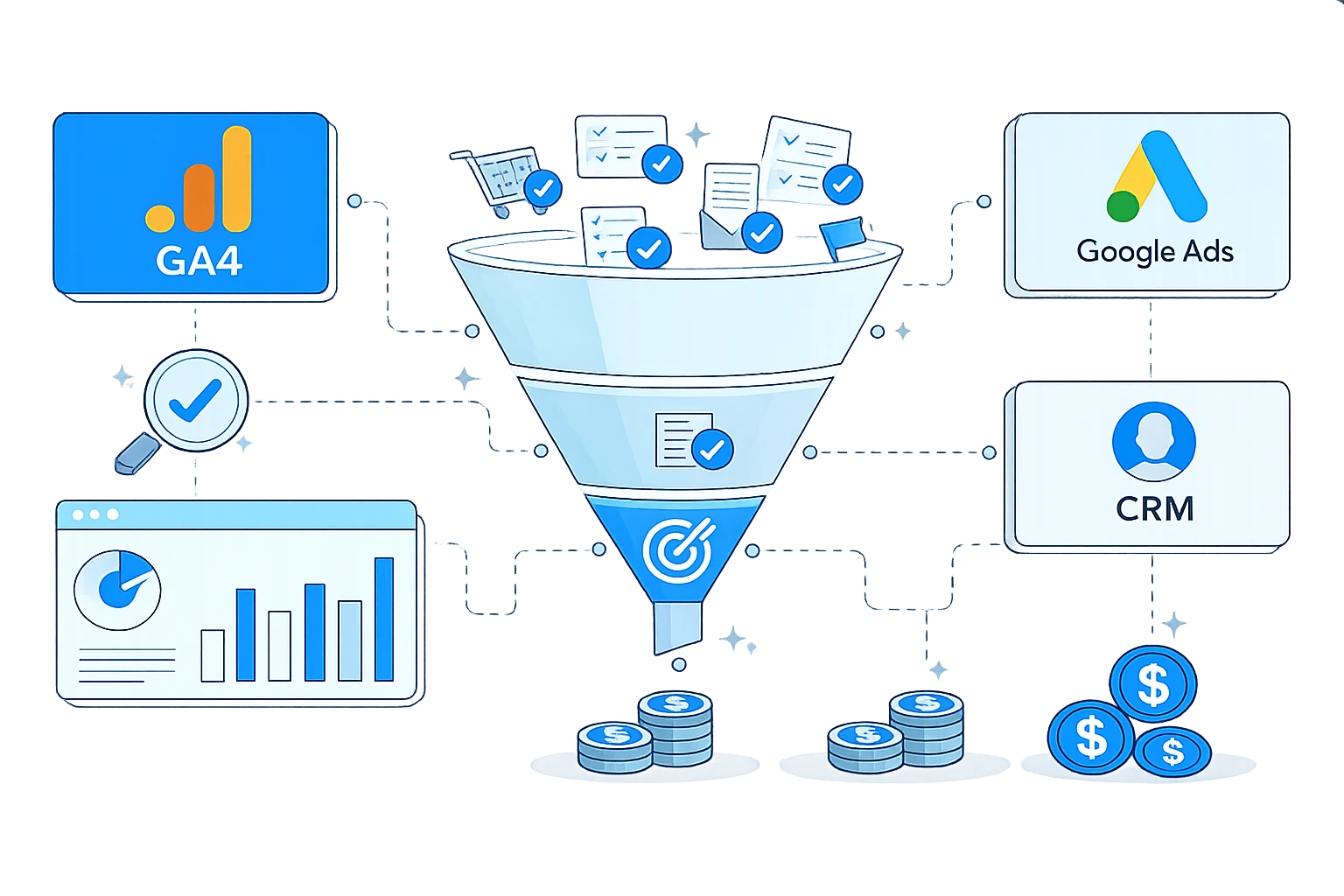
“Conversion” sounds like a simple word, but in marketing reporting, it often means different things across systems.
That is where many teams get into trouble.
A marketer reports 120 conversions from paid traffic. The analytics dashboard shows 94. The CRM shows 37 qualified leads. Sales says only 11 became real opportunities. Nobody is technically lying, but everyone is using a different definition.
If your team wants more accurate performance reporting, better attribution conversations, and fewer arguments over dashboards, you need to clarify what counts as a 'conversion' in each platform.
This article breaks down how conversions are usually defined in GA4, advertising platforms, and CRM reporting, and how to create a cleaner framework across all three.
Why is “conversion” not one universal metric?
A conversion is not inherently a purchase or a lead. It is a desired action defined by the business.
That action can be:
- A form submission
- A purchase
- A booked call
- A demo request
- A newsletter signup
- A PDF download
- A free trial starts
- A qualified opportunity
- A closed-won deal
The problem is not that these definitions exist. The problem is when teams use the same label for different actions without clarifying the reporting layer.
That leads to false comparisons, inflated performance claims, and bad budget decisions.
What counts as a conversion in GA4?
In GA4, a conversion is typically an event that you mark as important to the business.
That means GA4 is flexible. You decide which tracked actions deserve to be treated as conversions.
Common examples include:
generate_leadpurchasesign_upform_submitbegin_checkout
GA4 is event-based, so conversions live inside a broader event model rather than being treated as a separate tracking system.
What is GA4 best at?
GA4 is useful for understanding on-site behaviour and measuring whether users complete meaningful actions in the web or app experience.
It helps answer questions like:
- Which channels drive form fills?
- Which landing pages create signups?
- Where do users drop off before checkout?
- Which campaigns generate high-intent sessions?
Where do teams get confused?
GA4 conversions are often behavioural conversions rather than business outcomes.
For example, if someone submits a demo form, GA4 may immediately count it as a conversion. But the sales team may later discover that the lead was unqualified, a duplicate, or spam.
GA4 is excellent for measuring digital interactions. It is not the final source of truth for revenue quality on its own.
What counts as a conversion in Ad platforms?
Ad platforms such as Google Ads, Meta Ads, and LinkedIn Ads also use conversion reporting, but attribution models, platform windows, and optimisation goals shape their logic.
In these platforms, a conversion usually means an action that the platform can attribute to an ad interaction within a defined lookback window.
That action might be:
- a purchase
- a lead submission
- an add-to-cart
- a signup
- a scheduled call
- an imported offline event
What Ad platform conversions are best at?
Ad platform conversion data is useful for:
- campaign optimization
- bidding strategies
- audience learning
- creative testing
- channel-level performance feedback
These systems are built to help advertisers decide what to scale, pause, or improve.
Why do Ad conversions rarely match GA4 exactly?
They often differ because:
- Attribution windows are different
- Click and view logic may differ
- Platforms may count conversions differently
- Identity matching is not identical across systems
- Modelled data may exist in one platform but not another
This does not automatically mean one system is wrong. It means they are solving different reporting problems.
Ad platforms answer, "*What should I optimise inside this ad system?***"**
What counts as a 'conversion' in a CRM?
In a CRM, the definition becomes more commercial.
A CRM conversion often means a contact moving from one business stage to another, such as:
- lead created
- marketing qualified lead
- sales qualified lead
- opportunity created
- proposal sent
- deal won
This is usually the most operationally meaningful layer because it reflects actual pipeline movement rather than just digital actions.
What CRM conversions are best at?
CRM reporting is useful for:
- lead quality evaluation
- pipeline analysis
- campaign-to-revenue tracking
- sales handoff measurement
- lifecycle reporting
This is where marketing performance gets tied to business value.
Why CRM conversions are usually lower?
CRM numbers are often smaller because they include more qualification and filtering.
A form fill might count in GA4.
That same form fill might count in Ads.
But in the CRM, only leads that meet qualification standards may count toward the next real business milestone.
This is not a problem. It is exactly why CRM reporting matters.
The three layers of 'conversion' thinking
A useful way to simplify conversion reporting is to think in three layers:
1. Interaction conversion
This is the user action on the website or app.
Examples:
- clicked CTA
- submitted form
- downloaded guide
- started checkout
Best measured in analytics.
2. Platform conversion
This is the action attributed inside the ad platform.
Examples:
- ad-driven lead
- ad-attributed purchase
- imported qualified lead event
Best used for optimisation.
3. Business conversion
This is the outcome that matters commercially.
Examples:
- qualified lead
- booked sales meeting
- opportunity created
- closed customer
Best measured in the CRM.
Once teams separate these layers, reporting becomes much easier to interpret.
Common reporting mistakes
Treating all conversions as equal
A newsletter signup and a closed deal are not interchangeable, even if both are labelled “conversion.”
Comparing platform numbers without aligning definitions
If GA4 counts form submissions and the CRM counts qualified opportunities, those totals should never be compared as if they are the same KPI.
Building dashboards without stage clarity
A dashboard that says “Conversions” without specifying the exact event or lifecycle stage creates confusion.
Optimising campaigns for the wrong conversion
If ad campaigns are optimised for low-value actions, the platform may get better at generating cheap but weak leads.
How to build a better conversion framework?
Start by naming each conversion clearly.
Instead of one vague label, use structured definitions such as:
- Website conversion: lead form submitted
- Paid media conversion: attributed lead submission
- CRM conversion: qualified lead accepted by sales
- Revenue conversion: won a customer
Then document:
- The exact trigger
- The platform where it lives
- The owner of the definition
- The reporting use case
- Whether it is a primary KPI or a supporting KPI
This turns “conversion” from a fuzzy term into a usable measurement framework.
Which conversion number should leadership trust?
The honest answer is, it depends on the question.
If leadership wants to know whether a landing page is improving, GA4 may be the most useful lens.
If the paid media team wants to optimise campaigns, ad platform conversions matter.
If the business wants to understand actual revenue impact, CRM-stage conversions deserve the most weight.
The mistake is in searching for a single universal number to answer every question.
Final thoughts
A conversion is not one metric. It is a family of metrics across different systems.
GA4 tells you what users did.
Ad platforms tell you what their attributes are and what they can optimise toward.
CRM reporting tells you what turned into real pipeline and revenue.
When those layers are kept separate, your reporting becomes more trustworthy. Your budget discussions get sharper. Your optimisation decisions improve.
The goal is not to force every dashboard to match exactly. The goal is to define conversions clearly enough that every team knows what they are looking at.
That is when reporting stops being a debate and starts becoming a decision-making tool.
Share this article
Help other marketers, developers, and creators discover these insights.